
A Litbuy Spreadsheet website solves a simple but frustrating problem: large product spreadsheets can contain useful sourcing information while still being difficult to browse. Long rows, slow loading, inconsistent links, and limited mobile usability make product discovery harder than it needs to be. A web-based catalog changes that workflow by presenting spreadsheet-style sourcing data as searchable product pages, with clearer categories and easier access to individual listings.
The important difference is not simply that one format looks newer. The real advantage is how quickly a shopper can move from finding an item to checking its details, evaluating available QC information, comparing specifications, and deciding whether to continue to an external purchasing platform.
Smart Search Tip: Looking for more? To find items instantly, use single-word keywords (e.g., “SHOES” or “T-SHIRT”) instead of long sentences for the best results.
- Why Traditional Spreadsheets Become Difficult to Use
- What Changes With a Real-Time Web Catalog?
- The Difference Between Browsing Rows and Browsing Products
- Which Product Details Are Easier to Evaluate Online?
- How QC Information Fits Into the Catalog Workflow
- Sizing Still Requires Measurements, Not Just Better Design
- Why Mobile Browsing Matters for International Shoppers
- Shipping Decisions Start Before You Click Buy
- A More Practical Workflow for Using the Catalog
- Frequently Asked Questions
- The Real Advantage Is Less Friction
Why Traditional Spreadsheets Become Difficult to Use
A spreadsheet is excellent for storing structured information. It can hold thousands of rows, product names, seller links, prices, categories, notes, and other fields in one place. The problem appears when the spreadsheet becomes the primary shopping interface.
Large sourcing sheets often require users to understand columns before they can understand products. A shopper may need to scroll horizontally, open several links, return to the sheet, remember which row they were viewing, and repeat the process for another listing.
That workflow becomes particularly awkward on a phone. A desktop spreadsheet may provide plenty of screen space, but mobile users are dealing with narrow columns, small controls, and frequent context switching.
| Traditional Spreadsheet | Web Catalog | Practical Difference |
|---|---|---|
| Rows and columns | Individual product pages | Product information is easier to scan |
| Horizontal scrolling | Responsive page layout | Better suited to smaller screens |
| Manual category filtering | Category navigation | Fewer steps to narrow the selection |
| Links mixed into cells | Dedicated product links | Clearer transition from discovery to sourcing |
| Spreadsheet-centric workflow | Catalog-centric workflow | Users can evaluate items more naturally |
This does not make spreadsheets obsolete. The underlying spreadsheet can still be useful as a structured data source. The improvement comes from adding a more accessible presentation layer on top of that information.
What Changes With a Real-Time Web Catalog?
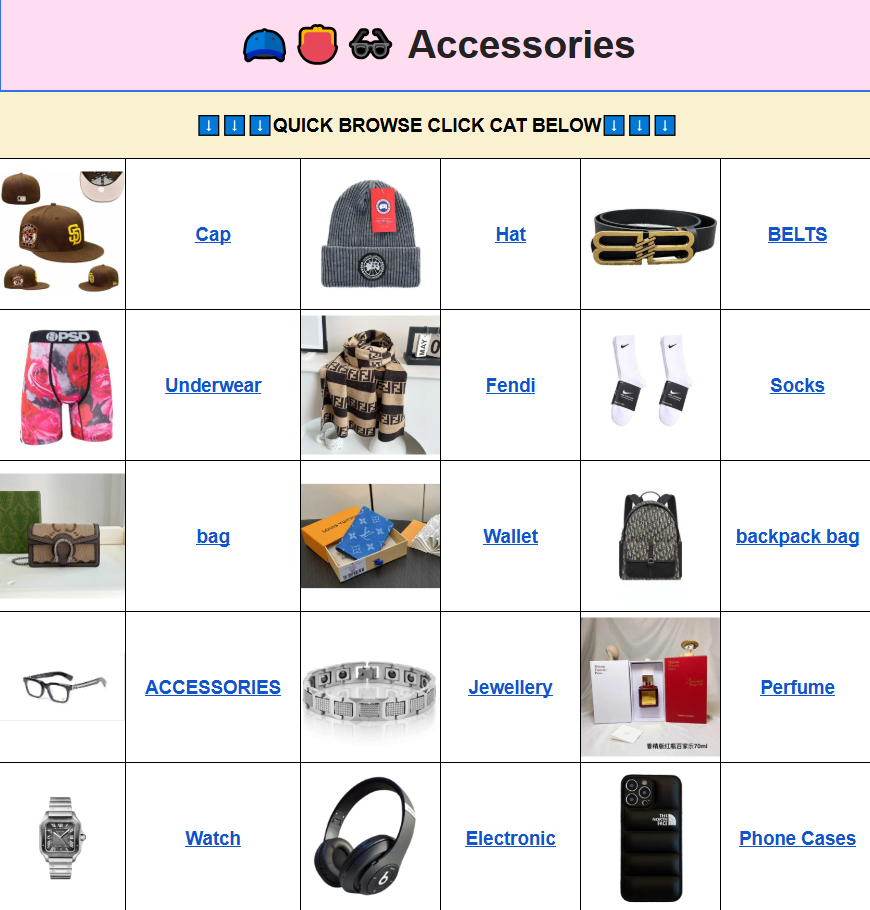
A web catalog turns the same basic concept into something closer to an online product directory. Instead of asking users to interpret a large data table, it presents individual products through recognizable catalog elements.
For example, a shopper can move through a category, open a product, inspect the available images and sourcing information, and then decide whether the listing is worth investigating further.
The distinction between a static spreadsheet and a web catalog is especially useful when the underlying product list changes frequently. A catalog can make newly added or updated entries easier to discover without requiring the visitor to understand how the spreadsheet itself is organized.

Category navigation also changes the starting point. Instead of beginning with a blank grid of rows, users can begin with a product type that matches their intent. For example, someone researching footwear does not need to scan unrelated apparel or accessories before reaching relevant listings.
For shoppers interested in a specific niche, the same principle applies to specialized sections such as the litbuy spreadsheet Lego category. The value is not the category name itself; it is the reduction in irrelevant information presented during the first stage of research.
The Difference Between Browsing Rows and Browsing Products
Spreadsheet browsing is fundamentally data-first. Product catalog browsing is information-first.
Consider a shopper comparing three jackets. In a spreadsheet, the relevant information might be spread across columns for item name, seller, price, URL, notes, and category. The shopper has to mentally combine those fields.
A product page can present the same information as a single unit. Images establish what the listing appears to show, specifications provide measurable information, and sourcing links give the user a clear next step.
This matters because product discovery involves more than finding a URL. The user needs to decide whether the listing is worth opening at all.
A well-organized catalog can therefore reduce what might be called decision friction:
- Fewer unrelated rows competing for attention.
- Less horizontal scrolling.
- Clearer separation between product types.
- More predictable navigation between listings.
- Easier comparison of visible specifications.
- A more natural experience on mobile devices.
The best catalog does not remove the need for judgment. It simply makes the information easier to reach so that the shopper can spend more time evaluating it.
Which Product Details Are Easier to Evaluate Online?
A product catalog becomes genuinely useful when it exposes details that help a shopper decide whether to investigate a listing. Product images alone are not enough.
Depending on the listing, useful information may include dimensions, available sizes, color options, seller-provided measurements, product weight, material descriptions, and sourcing links.
For clothing, measurable specifications are particularly important. A generic size label such as M or XL does not provide enough information to assume that the garment will fit. Different manufacturers can use different measurements, and even products with similar labels can have noticeably different proportions.
For footwear, foot length and insole measurements can be more useful than simply choosing a familiar numerical size. For accessories, dimensions and weight can affect both usability and eventual shipping considerations.
When reviewing a listing, look for information such as:
- Garments: chest width, shoulder width, garment length, sleeve length, waist, and hip measurements.
- Shoes: foot length, insole length, outsole dimensions, and available size information.
- Bags and accessories: height, width, depth, strap dimensions, and approximate weight where provided.
- Small products: physical dimensions, included components, and seller-provided specifications.
A catalog can make these details easier to locate, but it cannot correct inaccurate seller information. Treat measurements as evidence to compare rather than as an automatic guarantee of fit.
How QC Information Fits Into the Catalog Workflow
QC information is another area where a web presentation can make research more practical. When product images or inspection photographs are available, shoppers can examine visible characteristics before deciding whether to proceed.
The useful question is not simply, “Does this product have QC photos?” A better question is, “What can these images actually tell me?”
Useful visual checkpoints can include:
- Whether stitching appears straight and consistent.
- Whether visible graphics or prints appear aligned.
- Whether colors appear reasonably consistent across visible panels.
- Whether the product appears symmetrical.
- Whether zippers, buckles, or other hardware appear visibly damaged.
- Whether there are obvious marks, stains, tears, or construction defects.
- For footwear, whether the sole and upper appear properly assembled from the available angles.
There are also limits. A photograph cannot reliably prove long-term durability, exact fabric composition, chemical composition, future comfort, or how an item will perform after extended use.
Lighting and camera angle matter too. A dark photograph can make material details difficult to judge, while a single angle may hide an issue on the opposite side. The sensible approach is to treat QC imagery as one source of evidence rather than a complete product test.
Sizing Still Requires Measurements, Not Just Better Design
A faster catalog does not solve the most common sizing mistake: assuming that a familiar retail size will transfer directly to another manufacturer.
For international shoppers, this is particularly relevant because US, UK, EU, and Asian sizing conventions can differ, while individual manufacturers may use their own measurements regardless of the nominal size label.
Before selecting clothing, compare the seller’s measurements with a garment you already own that fits well. Lay the reference garment flat and compare dimensions such as chest width, shoulder width, sleeve length, and total length.
For footwear, compare your measured foot length with the available sizing information. If an insole measurement is provided, check how it relates to your actual foot dimensions rather than relying only on the number printed on the size label.
For accessories, dimensions can be even more important than the product name. A bag that looks compact in a photograph may have very different real-world capacity from what you expect.
Why Mobile Browsing Matters for International Shoppers
Many shoppers discover products on a phone and only move to a desktop later, if at all. A spreadsheet that is technically accessible on mobile can still be inconvenient if its structure requires constant zooming and horizontal movement.
A responsive catalog gives each product a defined space and allows navigation to adapt to the screen size. That is a usability improvement rather than merely a visual one.
It also helps with a common sourcing pattern: discovering several products during short browsing sessions. A shopper may save a few candidates, revisit them later, compare measurements, and eventually open an external purchasing platform.
Keeping those steps visually separate makes it easier to distinguish research from purchase. The catalog provides discovery and product information; the external platform handles the actual transaction.
Shipping Decisions Start Before You Click Buy
A product that looks attractive at the catalog stage can still become a poor choice once international shipping is considered. This is why product research should include basic logistics awareness before an order is finalized.
Package weight and dimensions can influence shipping calculations. Bulky products may be affected by volumetric weight, while certain products can face destination-specific restrictions or additional inspection requirements.
For buyers in the US, UK, EU, Australia, New Zealand, Canada, and elsewhere, the applicable customs, VAT, GST, and import rules can differ. Shipping services can also offer different delivery methods and customs arrangements.
Terms such as DDP and DDU should be understood before selecting a shipping option. The exact financial and customs implications depend on the destination and service used, so shoppers should check current guidance for their country rather than relying on a general assumption.
The catalog’s job is to make product discovery easier. It should not be treated as a substitute for checking the purchasing platform’s current shipping options, fees, restrictions, or destination-specific requirements.
A More Practical Workflow for Using the Catalog
The biggest improvement comes from changing the order of operations. Instead of starting with thousands of spreadsheet rows, use a narrower discovery-to-verification workflow.
- Start with a product category or short search term. Avoid unnecessary browsing across unrelated entries.
- Open promising product pages. Check the images, description, seller information, and available specifications.
- Verify measurable details. For apparel and footwear, prioritize actual dimensions over generic size labels.
- Review available QC imagery. Look for visible construction issues, alignment problems, damage, or inconsistencies.
- Compare several candidates. A low listed price is not automatically the best overall option if measurements, specifications, or visible quality indicators are weaker.
- Check the external purchasing platform. Confirm the current listing, availability, purchasing conditions, and relevant service information before proceeding.
- Review shipping before consolidation or shipment. Consider package size, weight, destination requirements, and the available delivery method.
This workflow separates discovery from purchasing. That distinction is useful because product information can change, seller listings can become unavailable, and shipping conditions can vary independently of the catalog itself.
The lit buy spreadsheet provides the web-based starting point, while the external purchasing service remains responsible for completing the transaction.
Frequently Asked Questions
Q: What are the advantages compared with a traditional Google Spreadsheet?
A: The main advantage is usability. A web catalog can organize products into pages and categories, making it easier to browse, compare, search, and inspect individual listings without constantly navigating a large grid.
Q: Is a web catalog more accurate than the original spreadsheet?
A: Not automatically. A catalog can present information more clearly, but accuracy still depends on the underlying product data and how frequently listings are maintained. Users should verify important information at the external purchasing stage.
Q: Can QC photos confirm product quality?
A: They can help identify visible issues such as stitching problems, obvious defects, print alignment, symmetry, and damaged hardware. They cannot reliably establish long-term durability, exact material composition, or future comfort.
Q: Why should I compare measurements instead of S, M, L, or XL?
A: Size labels are not standardized across all manufacturers. Actual chest, shoulder, sleeve, garment, waist, hip, foot, or insole measurements provide a more useful basis for comparison.
Q: Does a faster catalog mean shipping will also be faster?
A: No. Website browsing speed and international logistics are separate issues. Delivery depends on the purchasing service, warehouse handling, selected carrier, destination, customs procedures, and other factors.
Q: Can international shoppers use the catalog from Europe or Australia?
A: Yes, the catalog is designed for international browsing. However, shipping availability, customs treatment, VAT or GST, restricted goods, and delivery options vary by destination and should be checked before ordering.
The Real Advantage Is Less Friction
The strongest argument for a real-time web catalog is not that spreadsheets are inherently bad. Spreadsheets remain useful for collecting, sorting, and maintaining large datasets. Their weakness is that a large data table is not always the best interface for product discovery.
A web catalog adds a presentation layer designed around the way people actually research products: narrow the category, scan candidates, inspect details, compare measurable specifications, review available QC evidence, and then move to an external purchasing platform when ready.
That distinction becomes more valuable as a sourcing list grows. Ten or twenty rows are easy to manage almost anywhere. Thousands of products require better navigation, clearer information architecture, and a workflow that works on both desktop and mobile.
For shoppers, the practical benefit is straightforward: less time fighting the data structure and more time evaluating the products themselves.