
Smart Search Tip: Looking for more? To find items instantly, use single-word keywords (e.g., “SHOES” or “T-SHIRT”) instead of long sentences for the best results.
Scrolling through a massive shared sheet just to locate a few watch options has always felt like work. The litbuy spreadsheet platform turns that same data into ordinary product pages that load quickly, show batch notes, and send you straight to an external order link. For anyone tracking 2026 drops—watches included—this setup removes the lag while keeping the QC details that matter.
What the Litbuy Spreadsheet Site Actually Is
Litbuy Spreadsheet is a public web front-end built from large product spreadsheets. Instead of forcing every visitor to open a Google Sheet that freezes on mobile, the site presents each entry as a clean product card. You get photos, batch identifiers, short notes, and a buy button that jumps to a purchasing platform. The homepage slogan—“litbuy Spreadsheet – 2026 best batch 10,000+ QC Finds”—points to the scale: thousands of entries across clothing, accessories, sneakers, and smaller categories such as watches.
The technical approach is straightforward. Data that once lived in rows and columns is rendered through a WooCommerce-style storefront. That means standard category pages, brand pages, and individual product URLs. Nothing is sold or paid for on litbuydocs.com itself. The site only previews and organizes. Once you decide, the external link carries you to the agent platform where the actual order happens.
This model works especially well for global English-speaking buyers who already use agent services. You browse at normal web speed, compare a few options, then continue inside the familiar ordering tool you already trust.
Its Link to Litbuy Services
Litbuy operates as a purchasing and logistics agent popular with international shoppers sourcing from Chinese markets. The Spreadsheet site sits upstream of that process. It does not replace Litbuy; it simply makes the discovery step less painful. Product links and warehouse codes shown on the site can be copied or clicked straight into a Litbuy (or similar) account.
If you already have an agent account, the workflow feels natural: find the item on the web catalog, jump to the order page, submit, and wait for warehouse QC if you request it. New users create the agent account only after they have chosen something. In short, the website solves the “where do I look” problem; Litbuy handles payment, optional extra photos, and shipping.

Why Google Sheets Fall Short
Google Sheets remains excellent for teams that update rows every day. It is far less ideal as a public browsing tool once the file passes a few thousand entries. On phones the interface lags, filters take noticeable time, and embedded photos often refuse to load until you zoom. Shared links also hit view or permission limits when traffic spikes.
The Litbuy Spreadsheet conversion fixes those friction points. Pages load like any ordinary store. Categories and brands become clickable menus instead of filter formulas. Search engines can index individual items. Most importantly, you can open several product tabs at once without waiting for a single sheet to catch up. For budget-conscious fashion lovers who compare multiple batches in one session, the difference is immediate.
Watches Inside the Larger Catalog
Watches sit inside their own product-category section alongside jackets, sneakers, hoodies, and lifestyle items. The Litbuy Spreadsheet Watches page collects entries that appear in the underlying 2026 batch data. Each card typically shows available photos, any manufacturer dimensions or batch notes, and the external purchase link.
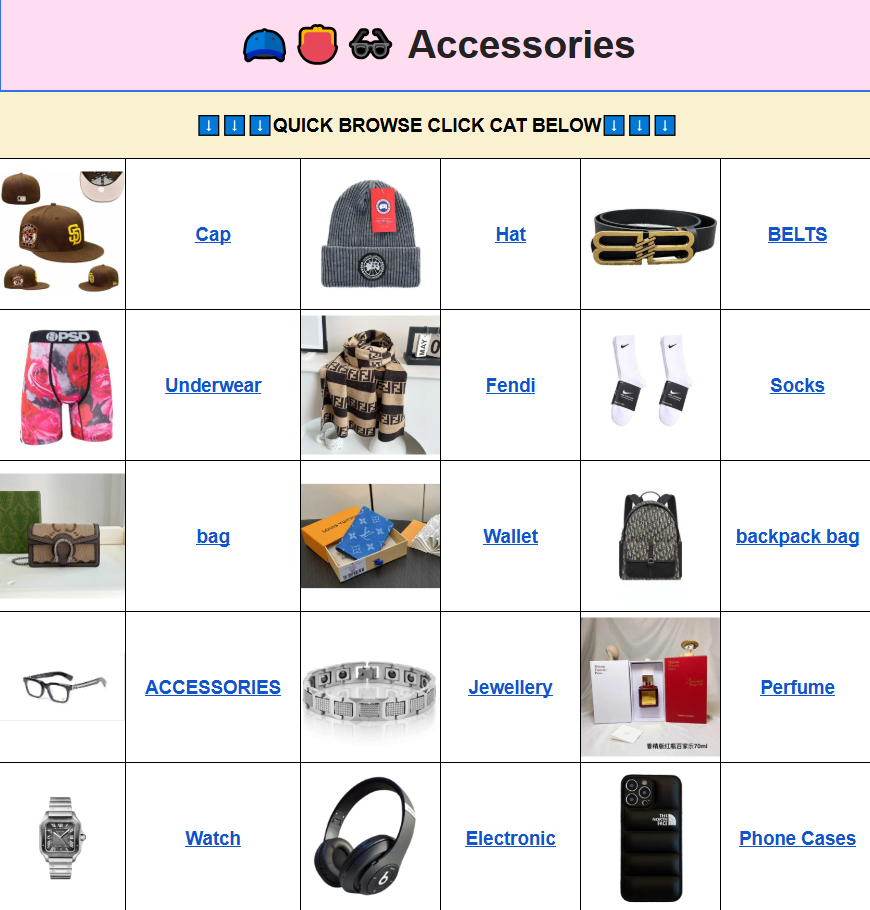
Because the same data structure feeds every category, the browsing experience stays consistent. You can move from a watch listing to a related accessory or clothing item without leaving the site. One useful cross-link is the Litbuy accessories category, which often sits next to watches in the source sheets and shares similar QC photo styles.
Three Brand Pages Worth Opening
Although watches form a product category rather than a single brand, many shoppers still arrive through brand filters. Three examples show how the site organizes those views.
Chrome Hearts
The Chrome Hearts brand page surfaces pieces that frequently appear alongside accessory and watch-related entries in the source data. You will find notes on hardware details, leather quality, and logo placement when those comments exist in the original spreadsheet. Smart shoppers use the product cards to compare batch differences before jumping to the order link. Having the photos and short descriptions on one page beats scrolling sideways through columns labeled “Notes” and “Link.”
Supreme
Supreme drops move quickly, and the corresponding brand page gathers apparel and accessory items tagged with 2026 batch codes. QC images, when supplied, sit next to the product title so you can check print quality or construction before deciding. The layout makes it easy to open several Supreme listings in separate tabs and decide which ones merit an agent order.
Carhartt
Workwear and everyday outerwear remain popular across agent communities. The Carhartt page collects jackets, pants, and related pieces with any available sizing notes or fabric comments from the batch data. For buyers who already know their preferred manufacturer dimensions, the web cards let them confirm details faster than hunting through a shared sheet.
These brand pages function as filtered slices of the larger spreadsheet. Combined with category pages, they give both casual browsers and detail-oriented collectors a usable map of the 2026 finds.
QC Photos and the Order Flow
Quality-control images remain the main reason many people still open the original sheets. The Litbuy Spreadsheet site preserves those images whenever the source data includes them. On a product page you usually see front, side, and detail shots provided by the factory or the agent’s QC team. Short notes may mention weight, logo thickness, or sizing tendencies for that batch.
After you click through to the external platform and place the order, most agents still offer an additional in-warehouse photo set before shipping. That two-step visual check—pre-order images on the catalog site plus post-purchase warehouse photos—gives high-value-conscious shoppers more confidence than a single marketing shot on a regular store.
Because the site never processes payment or stores shipping addresses, the security model stays simple. You only interact with the agent domain you already trust for the financial and logistics steps.
Side-by-Side Comparison
| Aspect | Google Sheets | Litbuy Spreadsheet Site |
|---|---|---|
| Mobile load speed | Often laggy with large files | Standard web-page performance |
| Navigation | Filters and column scrolling | Category and brand menus |
| QC image display | Cells or external links | Inline product galleries |
| Order step | Manual copy-paste of links | One-click jump to agent platform |
| Public indexing | Limited | Individual product URLs possible |
| Watch and niche finds | Mixed among other rows | Dedicated category section |
The table makes the practical difference clear. Sheets stay useful for sellers updating data daily; the web version serves buyers who simply want to browse, compare, and decide.
Common Questions From Shoppers
Q: How is the product quality? Are there QC photos?
A: Quality depends on the individual batch. The site shows the same QC photos that appear in the original spreadsheets whenever those images exist. Look for multiple angles on the product page. After ordering through the external link you can usually request fresh warehouse photos before the parcel leaves.
Q: Is the Litbuy Spreadsheet website mobile version easy to use? How do I search for items I want to buy?
A: Yes—the layout is responsive and avoids the horizontal scrolling common in large sheets. Search works best with single words such as “WATCH,” “HOODIE,” or a brand name. Category pages add further filters when those fields are present in the source data.
Q: What benefits are there for first-time users?
A: You can explore thousands of entries without creating an account on the catalog site itself. Once you find something interesting, the external link takes you to the agent platform where you open or use an existing account. Clear categories and visible QC references reduce the usual back-and-forth messages.
Q: What are the international shipping costs and delivery times?
A: Shipping is calculated and handled entirely by the agent after you place the order. Cost depends on weight, destination country, and chosen line. Most destinations see delivery windows between roughly 8 and 20 days once the warehouse releases the package. Use the agent’s own shipping calculator for precise numbers.
Q: What should I do if I receive an unsatisfactory product?
A: Reach out to the agent who processed the order. Most platforms provide a photo-review window and limited remedies for clear manufacturing issues. Keep the original QC images from the spreadsheet site as a reference when you discuss any differences.
Q: Does the Litbuy spreadsheet website share user data?
A: The catalog site does not require an account and does not process payments. Standard analytics may run, but personal shopping history and addresses stay on the agent platform you choose. Complete all sensitive steps only on the trusted domain you already use.
Q: What are its advantages compared to other Litbuy Spreadsheet websites?
A: The main gains are consistent category structure, preserved QC images, and the external-link order model that keeps the site lightweight. Smooth page loads and clear brand filters also help when you are comparing several options in one sitting.
Whether you are checking a specific watch listing or moving between streetwear apparel and mainstream brands, the combination of fast pages, visible batch notes, and direct order links removes most of the old spreadsheet friction. Keep search terms short, use the category menus, and let the product cards do the organizing work.